
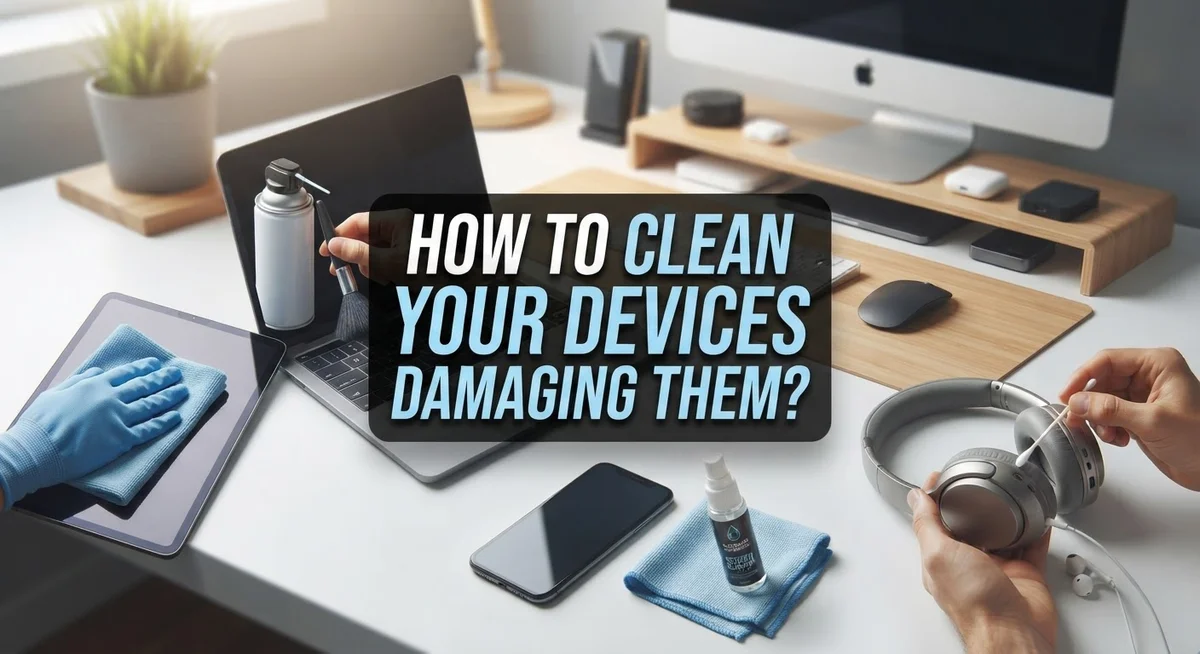
How to Clean Your Devices Without Damaging Them?
Your phone screen has fingerprints. Your laptop keyboard has dust. Your favorite gadgets need a good clean, but you worry about ruining them.
This fear is valid. Many people damage their devices while trying to clean them. Liquid seeps into small openings. Harsh chemicals strip away finishes. Rough cloths scratch delicate screens.
The good news is that cleaning your devices safely is simple once you know the right steps. You don’t need fancy tools or expensive products.
You just need the correct method and a little patience.
This guide will show you exactly how to clean your devices without causing harm. We will cover the best cloths to use and the cleaners that actually work.
You will learn which mistakes to avoid, like spraying liquids directly onto screens or using bleach. We will also share tips for handling accidental spills quickly.
By the end of this article, you will feel confident keeping your devices spotless. Your gadgets will look great and function perfectly for years to come.
Let’s get your devices squeaky clean the safe way.
In a Nutshell
Cleaning your devices safely comes down to a few simple habits. Here is a quick summary to keep handy:
-
Power down first. Always unplug your device and remove batteries if you can. This step protects you and the device from electrical damage.
-
Never spray directly. Apply your cleaning solution to a soft cloth instead. Spraying liquid straight onto a device risks seepage into openings.
-
Choose the right cloth. A microfiber cloth is your best friend here. It is soft, lint free, and gentle on every surface.
-
Skip harsh chemicals. Bleach and abrasive cleaners will damage the finish. Stick to water or a specialized screen cleaner instead.
-
Wipe gently. Excessive rubbing can wear down screens over time. A light touch gets the job done without harm.
-
Act fast on spills. Quick action stops liquid from seeping into ports or buttons. Every second counts when moisture is involved.
Follow these points, and you will keep your devices clean and fully functional for years to come.
Why Proper Device Cleaning Matters
Keeping your devices clean goes far beyond appearance. Dust, fingerprints, and grime accumulate on screens and surfaces every single day. These particles can interfere with how your device functions over time.
Dirt buildup affects performance. When dust settles on vents and openings, it blocks airflow. Your device then works harder to cool itself, which drains battery life faster. Screen smudges make it difficult to see content clearly. Touch responsiveness can also suffer when fingerprints cover your display.
Your health matters too. Devices collect bacteria and germs from constant handling. Studies show that phone screens harbor more bacteria than toilet seats. When you touch your face after using your device, you transfer these germs directly to your skin and eyes. Regular cleaning reduces this risk significantly.
Proper cleaning protects your investment. Devices are expensive. Damage from improper cleaning costs money to repair or replace. Liquid seeping into openings can cause permanent hardware failure. Harsh chemicals eat away at protective coatings and finishes. Abrasive materials scratch screens permanently. These problems are completely preventable with the right approach.
Clean devices last longer and work better. A well maintained device responds faster to touches. Screens display colors more accurately. Battery performance stays strong. Your overall user experience improves dramatically.
Prevention is easier than repair. Spending five minutes weekly on proper cleaning prevents major problems. You avoid costly replacements and frustrating downtime. Your device remains reliable and responsive for years.
Regular cleaning also keeps your device hygienic. You reduce the spread of germs to yourself and others. This simple habit protects both your device and your health.
The bottom line is simple. Clean devices function better, last longer, and keep you healthier. Taking time to clean correctly now saves you money, frustration, and potential health issues later. Your devices deserve proper care, and you deserve a device that works perfectly.
What You Need Before You Start
Before you start cleaning, gather the right supplies. Having everything ready prevents you from rushing or using the wrong materials. This preparation step is essential for device safety.
First, sanitize your hands. Dirty hands transfer oils and germs onto your device while you clean it. Wash with soap and water for at least 20 seconds before you begin.
Next, power down your device completely. Unplug it from any power source. Remove batteries if your device allows this. This step protects both you and your device from electrical hazards.
Locate a soft, lint-free microfiber cloth. This is the only cloth type you should use. Paper towels scratch screens. Regular towels leave fibers behind. Microfiber cloths are gentle and effective without causing damage.
Prepare your cleaning liquid. Plain distilled water works well for most devices. You can also use a specialized screen cleaner made for electronics. Never use tap water, as minerals can leave residue. Keep the liquid in a separate container, not in a spray bottle.
Gather optional items based on your needs. Cotton swabs help you clean small crevices and ports. A soft brush removes dust from vents without scratching surfaces. A can of compressed air blows out particles from tight spaces.
Check your device’s manual for specific cleaning guidelines. Different devices have different requirements. Some manufacturers recommend certain cleaning methods or products. Following their advice protects your warranty.
Find a clean, dry workspace. This prevents you from accidentally knocking your device into dirt or spilling liquids nearby. Good lighting helps you see what you are cleaning. A flat surface keeps your device stable while you work.
Keep paper towels nearby for emergencies. If you spill liquid, you need immediate absorption. Speed prevents moisture from seeping into openings and causing damage.
Now you have everything prepared. You are ready to clean safely and effectively.
Step-by-Step: How to Safely Clean Your Devices
Start by turning off your device completely. This is the most important safety step. Unplugging power sources and removing batteries prevents electrical damage if moisture accidentally enters the system.
Next, wash your hands thoroughly with soap and water. Clean hands mean you won’t transfer dirt and oils back onto your device while cleaning. Dry your hands completely before touching anything.
Gather your cleaning supplies in one spot. You will need a soft, lint-free microfiber cloth as your primary tool. Dampen the cloth slightly with plain water or a screen-specific cleaning solution. The key word here is “dampen” – your cloth should feel slightly moist, not wet.
Never spray any liquid directly onto your device. Spraying creates pools of moisture that seep into openings and damage internal components. Always apply liquid to the cloth first, then wipe the device.
Start cleaning from the top and work your way down. Use gentle, circular motions across screens and surfaces. Don’t press hard or rub excessively. Light pressure is all you need to remove fingerprints and dust.
Pay special attention to corners, edges, and ports. Dust loves hiding in these spots. Use the corner of your cloth to reach tight spaces. Be extra careful around openings – never let moisture enter these areas.
If you spill something on your device, act immediately. Quickly dry the area with a clean cloth. Don’t let liquid sit or seep deeper into the device.
Let your device air dry completely before turning it back on. Wait at least 15 minutes after cleaning. This gives any remaining moisture time to evaporate safely.
Finally, wipe down your workspace and cloth when finished. A clean environment prevents dust from settling back on your freshly cleaned device. Store your microfiber cloth in a clean, dry place for next time.
Cleaning Different Surfaces: Screens, Keyboards, and Ports
Your screens, keyboards, and ports need different cleaning approaches. Each surface has unique vulnerabilities, so understanding the right method for each one protects your device from damage.
Screen cleaning requires a gentle touch. Start by powering down your device completely. Use a soft, lint-free microfiber cloth slightly dampened with water or screen-specific cleaner. Wipe in circular motions, applying minimal pressure.
Never spray liquid directly onto your screen. The moisture can seep behind the glass and damage internal components. If your screen has stubborn marks, dampen your cloth more thoroughly before wiping.
Keyboards need special attention because debris hides between keys. Power down first, then use a dry microfiber cloth to wipe the surface. For stuck particles, tilt your keyboard at an angle and gently tap it to dislodge debris.
If your keyboard has significant buildup, use a slightly damp cloth for the tops of keys only. Keep moisture away from the gaps between keys. Never pour or spray any liquid into your keyboard.
Ports require the most careful handling. These openings lead directly to sensitive electronics. Use a dry microfiber cloth to gently wipe around port edges.
Never insert anything into ports or spray cleaner near them. If you notice debris inside a port, resist the urge to clean it yourself. Compressed air can push particles deeper, causing damage.
For all surfaces, remember these key rules: apply cleaner to your cloth, not directly to your device. Work gently without excessive rubbing. Let everything air dry completely before powering on.
Avoid paper towels, tissues, and rough cloths entirely. These materials scratch screens and leave lint behind. Stick with microfiber cloth for best results.
Your device surfaces will stay clean and protected when you follow these surface-specific methods consistently.
Common Mistakes That Damage Devices
Cleaning your devices incorrectly causes serious damage. Understanding these mistakes helps you protect your investment and keep everything working properly.
Spraying liquid directly onto devices is the most common error people make. The liquid seeps into openings and damages internal components. Always apply cleaner to your cloth first, never to the device itself.
Using the wrong materials ruins your device’s finish and screen. Paper towels scratch surfaces because they’re abrasive. Rough cloths and regular towels create the same problem. Stick only to soft, lint-free microfiber cloths for all cleaning tasks.
Bleach and harsh chemicals strip away protective coatings and discolor your device. These substances eat through finishes and damage sensitive electronics. Water or screen-specific cleaner are your only safe options.
Excessive wiping and rubbing causes unnecessary wear on surfaces. Gentle, light strokes work better than aggressive scrubbing. You don’t need pressure to remove dirt and fingerprints.
Allowing moisture near openings creates the biggest risk of internal damage. Ports, charging areas, and speaker holes lead directly to sensitive electronics. Keep all liquids away from these zones completely.
Ignoring spills and delays gives liquid time to seep deeper into your device. Act immediately when something spills on your screen or keyboard. Quick action prevents the liquid from reaching internal parts.
Cleaning while powered on increases electrical damage risk if moisture enters the device. Always turn off your device and unplug it before you start. Remove batteries if your device allows this.
Skipping the hand washing step defeats the purpose of cleaning. Dirty hands transfer oils and bacteria back onto clean surfaces. Wash your hands thoroughly with soap and water first.
These mistakes are easy to avoid once you know what causes damage. Following proper cleaning methods keeps your devices safe, functional, and looking new for years.
Handling Spills and Accidental Moisture Exposure
Spills happen fast, and your response speed makes all the difference. The first thing you do is turn off your device immediately and unplug it from any power source. This single step prevents electrical damage if moisture reaches internal components.
Next, gently blot the spill with a soft, dry cloth. Press the cloth against wet areas without rubbing or wiping aggressively. Rubbing spreads liquid into crevices and ports where it causes the most harm. Work from the outside edges toward the center to contain the moisture.
If the spill involved sticky substances like juice or soda, you need extra care. Use a soft cloth barely dampened with distilled water to gently dab the affected area. Never pour water onto your device or spray any liquid near it. The goal is removing the sticky residue without forcing moisture deeper inside.
Pay close attention to all openings on your device. Ports, charging slots, and speaker grilles are entry points for liquid damage. Tilt your device slightly so liquid drains away from these openings rather than toward them. Use a dry cloth to catch any drips.
After blotting, leave your device in a dry location for at least 24 to 48 hours before powering it back on. This waiting period allows any remaining moisture to evaporate naturally. Resist the urge to turn it on sooner, even if it seems dry on the surface.
Store your device in a warm, dry place during this recovery time. Avoid direct sunlight or heat sources, which can damage components. Keep it away from humid environments like bathrooms.
If your device shows signs of damage after drying, like strange sounds or display problems, seek professional help. Acting quickly on spills gives your device the best chance of surviving moisture exposure without permanent damage.
Maintaining a Regular Cleaning Routine
A regular cleaning routine keeps your devices in top condition and prevents dust buildup. The key is consistency. Clean your devices weekly or bi weekly depending on how much you use them.
Start each cleaning session by washing your hands thoroughly. Clean hands prevent transferring oils and dirt onto your device surfaces. This simple step makes a real difference in maintaining your device’s appearance.
Always power down your device completely before you begin. Unplug all cables and remove batteries if your device has removable ones. This protects your electronics from electrical damage if any moisture accidentally enters.
Use only a soft, lint free microfiber cloth for cleaning. Dampen the cloth slightly with water or a screen specific cleaner if needed. The cloth should feel barely damp, never wet. Apply the cleaner to the cloth first, never directly onto your device.
Wipe your device gently using light pressure. Focus on areas where dirt collects most: the screen, back surface, and sides. Work in circular motions and avoid pressing hard. Excessive rubbing damages protective coatings over time.
Pay special attention to crevices and edges where dust hides. Use a dry cloth to reach into these spots. Never insert anything into ports or openings on your device.
Create a cleaning schedule that works for your lifestyle. If you use your device outdoors frequently, clean it more often. People who use devices in dusty environments should also increase their cleaning frequency.
Store your device in a clean, dry location between cleanings. Keep it away from direct sunlight and extreme temperatures. This reduces how quickly dust and dirt accumulate on surfaces.
A regular routine takes only five to ten minutes per session. This small investment prevents serious damage and keeps your device looking new. Consistency matters far more than occasional deep cleaning attempts.
Final Thoughts
Clean devices stay healthy for longer. Simple habits protect your screens, buttons, and ports from unwanted damage.
You don’t need fancy tools to keep your gadgets safe. A soft microfiber cloth and a little water often do the job well.
Remember to power down your device first. This small step reduces the risk of electrical issues during cleaning.
Always apply cleaner to your cloth, not your device. This keeps liquid away from sensitive openings and internal parts.
Gentle wiping matters more than people think. Light pressure keeps your screen clear without causing scratches or wear.
Avoid harsh chemicals like bleach at all costs. These substances damage finishes and shorten your device’s lifespan quickly.
Skip rough materials such as paper towels or old rags. They scratch surfaces and leave tiny marks behind.
Spills need fast action. The quicker you respond, the less chance liquid has to seep inside.
Building a simple routine helps you stay consistent. Clean your devices every week or two, depending on use.
This habit prevents dust buildup and keeps your screen looking clear. It also helps you spot problems early.
Think of cleaning as basic care, similar to charging your device. Both keep your gadget working smoothly over time.
Your devices go through a lot each day. Fingers, dust, and daily use all leave their mark.
A few minutes of care can add years to your device’s life. This effort pays off through better performance and appearance.
Stay mindful of moisture near buttons, speakers, and charging ports. These spots need extra attention every time you clean.
With patience and the right approach, your devices stay in great shape. Simple steps make a big difference over time.
Cleaning doesn’t have to feel complicated. Stick to the basics, and your devices will thank you for it.
Frequently Asked Questions
Can I use water to clean my device screen?
Yes, water works well for most devices. Use distilled water on a soft microfiber cloth. Never spray water directly onto your device. The cloth should be barely damp, not wet. Wipe gently and let your device dry completely before powering it back on.
What should I do if liquid spills on my device?
Act fast when spills happen. Turn off your device immediately and unplug it from power. Blot the spill with a soft, dry cloth right away. Don’t let liquid seep into openings like charging ports or speaker holes. Let your device sit in a dry place for 24 to 48 hours before turning it back on.
Are paper towels safe for cleaning?
No, avoid paper towels completely. They scratch surfaces and leave lint behind. Stick with soft, lint free microfiber cloths instead. These cloths clean effectively without damaging your screen or finish. They’re your best choice for safe device cleaning.
Which cleaning products should I avoid?
Stay away from bleach and harsh chemicals. These damage your device’s finish and can harm internal parts. Avoid window cleaners and household sprays too. Stick to water or specialized screen cleaners only. When in doubt, use plain water on a damp cloth.
How often should I clean my devices?
Clean your devices weekly to prevent dust buildup. A quick five to ten minute session keeps everything looking good. Wipe down surfaces and pay attention to crevices where dust collects. Regular cleaning prevents problems and keeps your screen clear and functional.

Dillip is the founder and editor of MediaModHub.com, a passionate tech enthusiast dedicated to helping readers make informed decisions through honest product reviews, detailed comparisons, and practical buying guides. When he’s not testing the latest gadgets, he’s researching the tech trends that matter most to everyday consumers.


