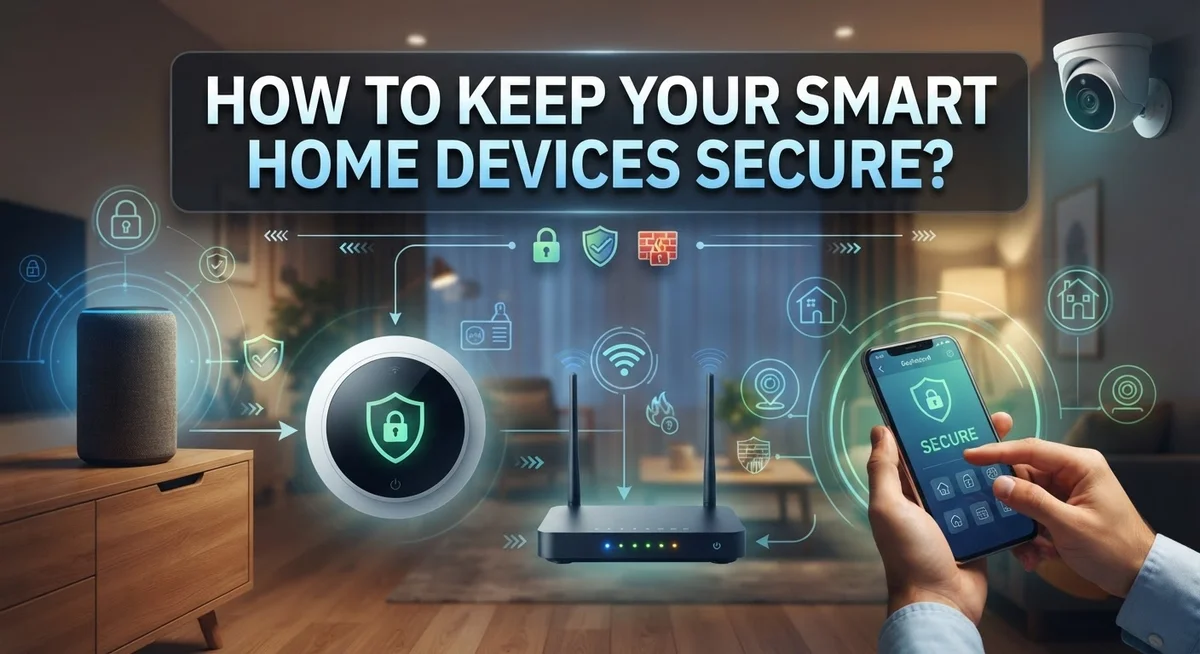
How to Keep Your Smart Home Devices Secure?
Your smart home makes life easier. Your lights turn on by voice. Your thermostat adjusts itself. Your door locks respond to an app.
But every smart device is also a tiny computer. And every computer can be hacked.
Smart home security is not just a nice extra anymore. It is a real necessity. Hackers often target weak smart devices to sneak into home networks.
The good news? You do not need to be a tech expert to protect your home. Simple steps can make a huge difference.
This guide will show you how to build strong, layered protection. You will learn how to secure your Wi Fi router properly. You will discover why unique passwords matter for every single device.
We will also cover how to research devices before buying them. You will see why keeping devices on a separate network helps a lot.
By the end, you will understand the most common mistakes people make. You will know exactly how to avoid them.
Let us help you keep your smart home safe and truly smart.
In a Nutshell
Here’s a quick summary of what keeps your smart home safe:
-
Separate your networks. Put smart devices on their own Wi-Fi network. This keeps them apart from your computers and phones.
-
Use strong, unique passwords. Never reuse the same password across multiple devices. Each account needs its own secure password.
-
Turn on authentication features. Enable two factor authentication whenever a device offers it. This adds an extra layer of protection.
-
Research before you buy. Check a device’s security history before purchasing it. Some brands take security more seriously than others.
-
Control physical access. Anyone who touches your device can potentially hack it. Keep devices in secure spots away from strangers.
-
Update your devices regularly. Manufacturers release patches to fix security holes. Skipping updates leaves you exposed to known threats.
-
Think in layers, not just one fix. Real protection combines network security, device security, and physical security together. No single step covers everything.
Following these steps builds a strong shield around your smart home. You do not need advanced skills to get this right.
Understanding Smart Home Security Risks
Smart home security risks are real, and understanding them helps you protect your devices. Every connected device in your home is a potential entry point for attackers. Hackers target smart homes because they often have weaker security than computers or phones.
Weak passwords are the biggest vulnerability. Most people use simple passwords or repeat the same one across multiple devices. Attackers can guess these easily or use stolen passwords from data breaches to access your devices.
Default settings create another major risk. Many devices come with preset passwords or security features turned off. Users often forget to change these settings, leaving devices exposed from day one.
Unpatched software leaves security holes open. Manufacturers release updates to fix vulnerabilities, but many people never install them. Your device stays vulnerable until you update it.
Network security gaps affect all your devices at once. If your Wi-Fi router is weak, attackers can access everything connected to it. They can then move from your smart speaker to your security camera to your door lock.
Physical access is overlooked but dangerous. Anyone who physically touches your device can potentially reset it, extract data, or install malicious software. A visitor or repair person could compromise your entire system.
Lack of research before buying devices causes problems. Some manufacturers have poor security records or don’t release updates regularly. Buying a device without checking its security history means you might bring a vulnerable device into your home.
Understanding these risks helps you make smart decisions about which devices to buy and how to protect them.
Securing Your Wi-Fi Router and Network
Your Wi-Fi router is the gateway to your smart home. If someone breaks into your router, they can access every device connected to it. That is why securing your router comes first.
Start by changing your router’s default login credentials. Manufacturers set generic usernames and passwords on all routers. Hackers know these defaults and try them first. Log into your router’s admin panel and create a strong, unique password immediately.
Next, update your router’s firmware. Manufacturers release updates to patch security holes. Check your router’s settings menu for available updates and install them right away.
Enable WPA3 encryption on your Wi-Fi network. This is the strongest encryption standard available today. If your router does not support WPA3, use WPA2 as your backup option. Never use WEP or open networks.
Create a separate Wi-Fi network just for your smart home devices. Most routers let you set up a guest network. Put all your smart devices on this separate network instead of your main household network. This stops hackers from jumping between your devices and your computers or phones.
Disable WPS (Wi-Fi Protected Setup) on your router. This feature sounds helpful but it actually creates security gaps. Turn it off in your router settings.
Hide your network’s name broadcast if possible. This adds a small extra layer of protection. Your devices will still connect, but outsiders cannot see your network listed.
Finally, change your Wi-Fi network name to something that does not reveal your router brand. Generic names make it harder for attackers to target your specific router model.
These steps form the foundation of your smart home security. A secure router protects everything connected to it.
Isolating IoT Devices with Network Segmentation
Network segmentation means keeping your smart home devices separate from your personal computers, phones, and tablets. This approach stops hackers from jumping between networks if they break into one device.
Most modern routers let you create a guest network. Use this feature to build a dedicated Wi-Fi network for your IoT devices only. Your smart speakers, cameras, thermostats, and lights all connect to this separate network instead of your main one.
Why does this matter? If someone hacks your smart doorbell, they cannot access your laptop or personal files on the main network. The two networks stay isolated and protected from each other.
Setting up network segmentation takes just a few minutes. Log into your router’s admin panel. Look for the guest network or additional network settings. Create a new network with a strong password. Give it a clear name so you remember which devices belong there.
Keep your main network secure too. Use WPA3 encryption if your router supports it. WPA2 works as a backup option. Change your router’s default username and password immediately.
Once your separate network exists, connect all smart home devices to it. Your smart TV, security system, and connected appliances should all use this isolated network. Your personal devices stay on the main network where your sensitive information lives.
This layered approach works because it limits damage. A compromised smart device cannot easily reach your bank accounts, emails, or private files. Network segmentation acts as a wall between your smart home and your personal digital life.
Check your router’s manual if you need help finding the guest network settings. Most manufacturers provide simple step by step instructions for this setup.
Creating Strong Passwords and Enabling Authentication
Strong passwords and authentication are your first line of defense against unauthorized access to your smart home devices. A weak password makes it easy for attackers to take control of your devices and potentially access your home network.
Start by creating unique passwords for each device and account. Use a combination of uppercase letters, lowercase letters, numbers, and special characters. Avoid using birthdays, pet names, or sequential numbers like “123456” or “password.” The longer your password, the harder it is to crack. Aim for at least 12 to 16 characters when possible.
Never reuse passwords across multiple devices. If one account gets compromised, attackers could use that same password to access your other smart home devices. This is a common mistake that puts your entire setup at risk.
Enable two factor authentication whenever your devices or apps support it. Two factor authentication requires a second verification step, like a code sent to your phone or generated by an app. This adds an extra layer of protection even if someone obtains your password.
Store your passwords securely using a password manager. Password managers encrypt your passwords and make it easy to generate strong, unique passwords for each device without memorizing them.
Check your device settings regularly. Some smart home devices allow you to enable login notifications or review active sessions. This helps you spot suspicious activity quickly.
Update your authentication settings after any security breaches. If a device manufacturer announces a vulnerability, change your password immediately. Taking these steps seriously protects your smart home from common attack methods that target weak credentials.
Researching Devices Before You Buy
Before you buy any smart home device, take time to research its security features. This step prevents problems later and saves you money.
Start by checking the manufacturer’s website. Look for information about security updates and how long the company supports the device. Companies that provide regular updates care about your safety. Devices without update support become vulnerable over time.
Read customer reviews on multiple websites. Pay attention to comments about security issues, bugs, or privacy concerns. Users often mention if a device had problems or if the company fixed them quickly. Look for patterns in negative feedback rather than single complaints.
Check what data the device collects. Does it record audio or video? Does it share information with third parties? Read the privacy policy carefully. Some devices send data to servers you do not control, which increases your risk.
Verify that the device uses encryption. This means your data stays scrambled and unreadable to hackers. Look for mentions of SSL, TLS, or end to end encryption in the specifications.
Find out if the device requires a strong password or allows weak ones. Better devices force you to create complex passwords during setup. Some devices also support two factor authentication, which adds extra protection.
Check if the manufacturer has a security page or vulnerability disclosure program. This shows they take security seriously and listen to researchers who find problems.
Ask yourself if you really need all the features a device offers. Sometimes simpler devices have fewer security risks. You do not need smart features you will never use.
Take notes on your top choices. Compare their security features side by side. This research takes an hour but protects your home for years.
Controlling Physical Access to Your Devices
Physical access to your smart home devices matters more than many people realize. When someone can touch your device, they gain direct control over it. This is why controlling physical access is a critical part of your overall security strategy.
Start by placing devices in secure locations within your home. Keep smart locks on interior doors or in areas where only trusted family members go. Position security cameras where they monitor entry points but stay out of reach from visitors. Avoid leaving devices in common areas where guests, service workers, or delivery personnel can easily access them.
Think about who enters your home regularly. Service technicians, cleaners, and repair workers should not have unsupervised access to your smart devices. If someone must enter your home while you are away, temporarily disable certain devices or move them to a locked cabinet.
For outdoor devices like smart doorbells or exterior cameras, mount them high enough that someone cannot easily tamper with them. Use weatherproof enclosures when available. Check these devices regularly for signs of physical damage or tampering.
Create a simple rule: only authorized household members should touch your smart devices. Explain this to family and guests. Children should understand that these are not toys.
Document which devices you own and where you placed them. This helps you notice if something moves or goes missing. Keep backup power supplies and installation manuals in a secure location, not on your device itself.
Physical security works best when combined with strong passwords and network segmentation. Together, these layers make it extremely difficult for anyone to compromise your smart home system.
Common Mistakes That Compromise Smart Home Security
Many people make simple mistakes that leave their smart home wide open to attacks. Understanding these errors helps you protect your devices from the start.
Using weak or reused passwords is the biggest problem. People often create easy passwords like “123456” or “password.” Then they use the same password across multiple devices. If someone cracks one account, they can access everything. Each device needs its own strong password with numbers, letters, and symbols.
Skipping the research phase causes trouble too. Some people buy devices without checking their security features first. They don’t ask if the manufacturer updates the software regularly or if the device collects personal data. This means you might bring an insecure device into your home without knowing it.
Connecting all devices to one network is another common error. Your smart TV, security camera, doorbell, and thermostat all share the same Wi-Fi as your laptop and phone. If someone hacks your smart TV, they could reach your personal computer next. Separating IoT devices onto their own network stops attackers from jumping between systems.
Ignoring physical security also matters. People focus only on digital protection and forget about the actual devices. A visitor could reset a smart speaker or unplug a security camera if it sits in an obvious spot. Placing devices in secure locations prevents tampering.
Neglecting software updates leaves known security holes open. Manufacturers release updates to fix problems. Skipping these updates means you stay vulnerable to attacks that others have already solved.
These mistakes are easy to fix once you know about them. Start today by changing weak passwords and researching your next device purchase carefully.
Ongoing Maintenance and Monitoring Best Practices
Keeping your smart home devices secure requires ongoing attention. You cannot set them up once and forget about them. Security needs active management to stay effective.
Monitor your devices regularly for unusual activity. Check your device apps weekly to see login history and connected sessions. Look for sign-ins from places you do not recognize. Most smart home devices show you where and when someone accessed them. If you see suspicious activity, change your password immediately.
Update your device software whenever new versions become available. Manufacturers release updates to fix security problems they discover. Delaying updates leaves your devices vulnerable to known attacks. Set a calendar reminder to check for updates monthly. Some devices offer automatic updates, which you should enable if available.
Review your network periodically to see what devices connect to it. Remove any devices you no longer use. Old devices still connected to your network create security risks. Unused devices may not receive security updates, making them easy targets for attackers.
Keep your Wi-Fi router secure as your first defense. Change the router’s default password to something strong and unique. Disable features you do not need, like remote access or WPS. Update your router software regularly just like your smart devices.
Watch for unusual device behavior. If a device acts strangely, stops responding, or uses excessive power, investigate the cause. Strange behavior sometimes signals a security problem.
Document your security setup. Write down which devices you own, their passwords, and when you last updated them. This record helps you stay organized and catch gaps in your security plan.
Final Thoughts
Smart home security does not need to feel hard. You now have the tools to protect your devices step by step.
Start with a plan. Think about your network setup before you buy new devices. This simple habit saves you from many headaches later.
Network segmentation remains one of your strongest defenses. Keep your smart devices on a separate Wi-Fi network from your phones and computers. This way, a weak device cannot expose your entire home.
Strong passwords still matter more than most people think. Use unique passwords for every device and account. Never reuse the same password across multiple gadgets.
Research each device before you bring it home. Check for encryption features and update history. A little homework prevents big problems down the road.
Physical security deserves equal attention. Control who can touch your devices and where you place them. Many breaches happen because of easy physical access, not just hacking.
Regular maintenance ties everything together. Update your software often and monitor your network for strange activity. Small checks add up to strong protection over time.
Remember that security works best as a layered approach. No single step protects you completely on its own. Combine network safety, device settings, and physical controls together.
Smart homes bring convenience into your daily life. They also bring new risks you must manage actively. Treat security as an ongoing habit, not a one time task.
Stay alert, stay updated, and stay in control of your smart home. Your effort today builds a safer home for tomorrow. Small consistent actions protect your privacy and peace of mind for years to come.
Frequently Asked Questions
What is the simplest way to isolate my smart home devices from my main network?
Create a separate Wi-Fi network specifically for your Internet of Things devices. Most routers allow you to set up a guest network in just a few steps. Simply log into your router settings, find the guest network option, and enable it. Give this network a unique name and strong password. Connect only your smart devices to this new network while keeping your computers, phones, and tablets on your main network.
This separation acts as a barrier. If someone hacks one smart device, they cannot easily access your personal computers or sensitive files. Network segmentation is one of your strongest defenses.
Why should I use different passwords for each device?
Using the same password across multiple devices is risky. If a hacker cracks one password, they gain access to everything. Each device needs its own strong, unique password with a mix of uppercase letters, lowercase letters, numbers, and symbols.
Consider using a password manager to store these securely. This tool remembers all your passwords so you do not have to. Weak or reused passwords remain the biggest security problem people face with smart homes.
How often should I check my devices for problems?
Check your smart home devices at least once per month for unusual behavior. Look for devices that act strangely, respond slowly, or seem to activate on their own. Review your router settings to see which devices connect to your network.
Regular monitoring helps you catch issues early. Most security problems get worse if you ignore them.
Should I worry about physical access to my devices?
Yes. Keep smart devices in safe locations where household members and guests cannot easily tamper with them. Mount outdoor cameras and doorbells high enough to prevent interference. Explain to family members which devices should not be touched.
Physical security matters just as much as digital security.

Dillip is the founder and editor of MediaModHub.com, a passionate tech enthusiast dedicated to helping readers make informed decisions through honest product reviews, detailed comparisons, and practical buying guides. When he’s not testing the latest gadgets, he’s researching the tech trends that matter most to everyday consumers.