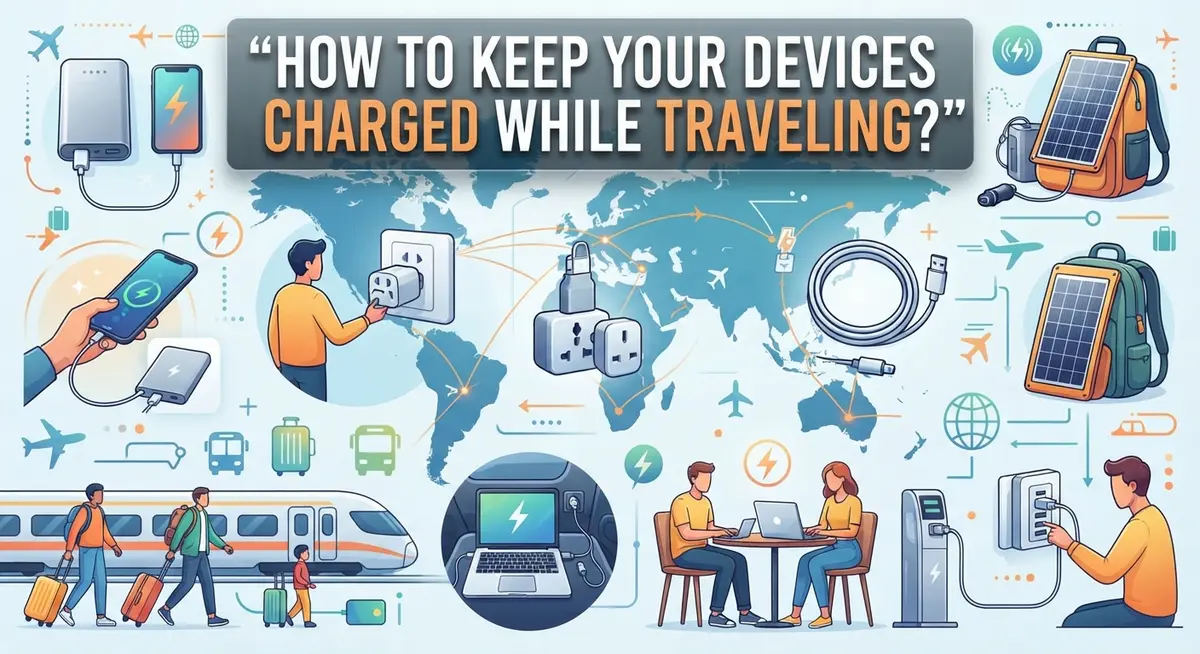
How to Keep Your Devices Charged While Traveling?
Picture this. You land in a new city. Your phone battery sits at 3%. You need maps, translation apps, and photos. Panic sets in fast.
Dead devices can ruin a trip. No directions. No boarding passes. No way to call for help.
The good news? You can avoid this stress completely. Keeping your devices charged while traveling just takes some smart planning.
This guide covers everything you need to know. We will look at power banks and how they keep your gadgets alive on long journeys. We will also explain why a good travel adapter matters more than you think.
You will learn simple steps to charge devices safely. We cover common mistakes many travelers make, like using public USB ports. These ports seem convenient but often carry hidden risks.
We will also share quick tips to stretch your battery life during transit. Small changes, like adjusting phone settings, make a big difference.
By the end, you will know exactly how to keep every device powered up. No more dead screens. No more travel stress. Just smooth, connected journeys from start to finish.
In a Nutshell
Here’s a quick summary to keep your gadgets powered up on the go:
-
Charge your power bank fully before you leave home. This gives you backup energy right from the start of your trip.
-
Pack a travel adapter and plug into wall outlets. This works better than searching for available sockets at your destination.
-
Skip public USB ports at airports and cafés. These can pose security risks to your personal data.
-
Use airplane mode when you don’t need signal. This simple trick helps your battery last much longer.
-
Turn off WiFi and Bluetooth until you actually need them. Your device won’t drain power searching for connections.
-
Charge multiple devices at once using a power bank with several ports. This saves time and keeps everything ready to use.
Follow these steps and your devices will stay charged throughout your journey. You won’t need to stress about finding an outlet or worry about unsafe charging spots. A little planning goes a long way here.
Why Staying Charged on the Go Matters
Your phone dies mid flight. Your tablet goes dark while you’re navigating a foreign city. Your camera battery runs out during the best sunset of your trip. Staying charged matters because it keeps you connected, safe, and able to capture memories.
Dead devices create real problems when traveling. You lose access to maps, translation apps, and emergency contacts. You cannot call for help or reach your hotel. You miss photo opportunities. Your trip becomes stressful instead of enjoyable.
A charged device keeps you independent. You can explore without constantly searching for outlets. You stay in touch with family back home. You access your booking confirmations and travel documents anytime. You can use navigation apps to find restaurants and attractions.
Battery life directly affects your travel experience. Most phones last only one full day with moderate use. Cameras, tablets, and smartwatches drain even faster. When you’re away from your home routine, you use devices more heavily. You take more photos. You stream more content. You navigate constantly.
Travel often means limited access to charging. Hotel rooms might have few outlets. Airports charge premium prices for charging stations. Public spaces don’t always offer convenient power sources. You cannot rely on finding a free outlet when you need one.
Staying charged also keeps you secure. Relying on public USB ports puts your data at risk. Low battery forces poor decisions, like using unsecured networks. A fully charged device lets you make smart choices about where and how you connect.
The bottom line: charged devices equal freedom, safety, and peace of mind. When your gadgets have power, you focus on experiencing your destination instead of worrying about battery levels. You make better decisions. You stay connected to what matters. You enjoy your trip fully without the anxiety of dying devices interrupting your plans.
Essential Gear for Keeping Devices Powered
When you travel, having the right gear makes all the difference. Your devices need power sources that work anywhere, anytime. Let’s break down what you actually need.
Power banks are your first essential. These portable battery packs work like a second battery for your phone, tablet, or camera. They’re small enough to fit in your pocket, about the size of a candy bar. You charge them at home before leaving, then use them throughout your trip. One power bank can charge multiple devices at once if it has several USB ports.
Travel adapters solve the outlet problem. Different countries use different wall outlet shapes and voltages. A travel adapter lets you plug your charger into any standard wall outlet you find. This keeps you safe and gives you access to reliable power sources instead of risky public USB stations.
Multiple USB ports matter more than you think. If your power bank has three or four USB ports, you can charge your phone, tablet, and camera simultaneously. This saves time and keeps everyone in your group powered up.
The combination of a fully charged power bank plus a travel adapter creates your best charging strategy. Before you leave home, charge your power bank completely. Pack both items in an easy to reach spot in your luggage.
Why this approach works: Wall outlets are everywhere once you have an adapter. Power banks give you independence from finding outlets. Together, they cover almost every charging situation you’ll face.
This gear setup is lightweight and affordable. You’re not adding much weight to your luggage. A power bank and adapter fit easily into a small bag pocket. These two items prevent the stress of dead devices when you’re far from home. They give you freedom to explore without battery anxiety.
Step-by-Step: Preparing Your Devices Before You Leave
Before you head out the door, take time to prepare your devices properly. This step matters because a device that fails mid trip causes real stress.
Start by checking your device batteries right now. Plug in your phone, tablet, and laptop. Let each one charge to 100 percent. This takes a few hours, so plan ahead. A fully charged device gives you a strong starting point.
Next, charge your power bank completely. Most power banks need 4 to 8 hours to reach full capacity. Plug it into a wall outlet at home, not a car charger or computer USB port. Wall outlets deliver faster, more reliable charging. Mark your calendar or set a reminder so you don’t forget this step.
While devices charge, gather your cables and adapters. Check that every cord works properly. Bend them gently to test for damage. A broken cable wastes precious charging time during your trip. Keep all cables organized in one bag or pouch.
Research your destination’s outlet types. Different regions use different wall socket shapes. Knowing this in advance lets you pack the right adapters. You can find outlet information online through travel websites or your airline’s resources.
Delete unnecessary apps and files from your devices. Less data means faster charging speeds. Remove old photos and videos you no longer need. Uninstall apps you won’t use while traveling.
Disable auto updates before you leave. Go into your device settings and turn off automatic software updates. Updates drain battery quickly and tie up your charging time.
Test your airplane mode feature. Make sure you know how to turn it on and off. Practice switching between WiFi and cellular data. Familiarity with these settings helps you manage battery life better.
Finally, pack everything in an easy to reach spot. Keep your power bank, cables, and adapters in your carry on bag, not checked luggage. You want quick access when your battery runs low.
Charging Smart During Your Trip
When you travel, smart charging means using the right strategy before problems happen. Your first move is understanding what devices you actually need powered during your trip. A phone matters most. A tablet or laptop comes second. A smartwatch or portable speaker ranks lower on your priority list.
Plan your charging locations ahead of time. Research where you can safely charge at your destination. Hotels usually offer wall outlets in rooms. Airports have charging stations, though they fill up quickly. Coffee shops and restaurants provide outlets if you buy something. Libraries and museums sometimes have charging areas too.
Avoid public USB ports completely. Airports, cafés, and hotels have USB charging stations that pose security risks. Hackers can install malware through these ports. Your personal data becomes vulnerable. Always use a wall outlet with your own charger instead.
Calculate your actual charging needs before departure. If you take photos constantly, you need more power capacity. If you browse the web and send messages, standard capacity works fine. Heavy users should carry two power banks instead of one.
Keep your cables organized and accessible. Pack charging cables in a small pouch. Store this pouch where you can reach it quickly. Tangled cables waste time and cause frustration when you need power fast.
Bring the correct travel adapter for your destination’s outlets. One adapter works for multiple devices if they share the same charging port. USB-C devices all use the same cable. Older devices might need different adapters.
Test everything before you leave home. Plug in your power bank and confirm it charges fully. Test your travel adapter with your devices. Make sure cables work properly. This prevents surprises when you’re thousands of miles away.
Charge your power bank completely the night before departure. Start your trip with maximum power available. This gives you the best safety margin for your first day away.
Battery-Saving Habits to Extend Device Life on the Road
Battery life drains faster when you travel. Your phone works harder with different networks, GPS usage, and constant screen time. You can extend your battery significantly by changing a few habits right now.
Disable WiFi and Bluetooth when you don’t need them. These features constantly search for connections and drain your battery. Turn them off between checking messages or using maps. Airplane mode is your best friend during flights and long waits at airports.
Reduce your screen brightness immediately. Bright screens consume more power than anything else on your device. Most phones let you set automatic brightness, which adjusts based on your surroundings. Manual brightness at 40 percent works well for most travel situations.
Close background apps that run constantly. Many applications refresh data even when you’re not using them. Social media apps, weather apps, and email clients drain power silently. Check your battery settings to see which apps consume the most energy. Force close the biggest offenders.
Stop using live wallpapers and animated widgets. These look nice but waste battery power. Switch to static wallpapers instead. Disable location services except when you actually need GPS navigation.
Turn off push notifications for non essential apps. Every notification wakes your screen and uses power. Disable alerts from social media, news apps, and games. Keep notifications only for messaging and calls.
Reduce video playback quality on streaming apps. High definition video drains batteries twice as fast as standard quality. Download shows before you travel instead of streaming them live.
Use low power mode before your battery reaches critical levels. Don’t wait until your phone shuts down. Activate this mode at 50 percent battery to extend your device by several more hours.
These habits work together to keep your devices running longer between charges. Small changes add up to significant battery savings during your entire trip.
Common Charging Mistakes Travelers Make
Travelers often make simple but costly mistakes when keeping devices charged. Understanding these errors helps you avoid frustration during your trip.
Public USB ports are your biggest risk. Airports, cafés, and hotels offer USB charging stations that seem convenient. However, these ports can install malware on your device or steal personal data. Criminals sometimes replace legitimate charging cables with infected ones. Your best choice is always a personal wall outlet with your own cable.
Many travelers rely too heavily on hotel and venue charging infrastructure. These locations often have limited outlets, slow chargers, or broken equipment. You might find yourself waiting hours for a partial charge. This dependency leaves you vulnerable when you need power most.
Overestimating your power bank capacity is another common error. A small power bank might fully charge your phone once, but not twice. If you travel for several days with multiple devices, one power bank may not be enough. Calculate how many times you actually need to charge each device during your trip.
Forgetting to charge your power bank before departure happens more often than you’d think. You pack your bag and assume your backup battery is ready. Then you discover it’s completely empty when you need it most. Always charge your power bank fully at home before leaving.
Some travelers underestimate how fast battery drains during travel. You’re using GPS, taking photos, streaming music, and using translation apps simultaneously. Your battery depletes much faster than normal daily use. Plan for this increased drain by bringing extra charging capacity.
Mixing up cable types creates unnecessary problems too. USB-C, Lightning, and Micro USB cables look similar but don’t work interchangeably. Packing the wrong cables means you can’t charge when you need to. Double check your device types and bring the correct cables for each one.
Troubleshooting Charging Problems While Traveling
When your devices stop charging during travel, stay calm. Most problems have simple solutions you can fix quickly.
Check your cables first. Frayed wires, bent connectors, and loose connections cause most charging failures. Inspect the entire length of each cable carefully. Wiggle the connector gently in your device’s port. If it charges only at certain angles, your cable needs replacement.
Test your power bank next. Connect it to a wall outlet using your travel adapter. Wait a few minutes and check if the indicator lights turn on. A dead power bank won’t charge your devices no matter what you do. Leave it plugged in for several hours before assuming it’s broken.
Verify your adapter works properly. Different countries use different outlet shapes and voltages. Your adapter might fit the wall outlet but not deliver power correctly. Try charging another device through the same adapter. If nothing charges, the adapter itself is faulty.
Clean your charging ports. Dust, lint, and debris block the connection between your cable and device. Use a small flashlight to look inside the port. Gently remove any visible particles with a dry cotton swab or soft brush. Never use liquid cleaners or metal objects.
Restart your device completely. Sometimes software glitches prevent charging. Power off your phone or tablet entirely, then turn it back on after thirty seconds. This resets the charging detection system.
Check the power source itself. Your wall outlet might not work. Plug a lamp or other device into the same outlet to confirm power flows. Try a different outlet in your hotel room or venue.
If none of these steps work, ask hotel staff for help. They know which outlets in their rooms provide reliable power. Local phone repair shops can also diagnose problems quickly if you need professional assistance during your trip.
Final Thoughts
Keeping your devices charged while traveling comes down to simple planning. Pack a reliable power bank and a travel adapter before you leave home. These two tools solve most charging problems you will face on the road.
Your phone connects you to maps, tickets, and emergency contacts. A dead battery at the wrong moment can turn a smooth trip into a stressful one. That’s why preparation matters more than luck.
Think of charging as part of your travel routine, just like packing clothes or checking passports. Build it into your pre-trip checklist so it becomes automatic. This small habit saves you from bigger headaches later.
Every destination brings different outlet types and power situations. Flexibility helps you adapt quickly when things don’t go as planned. Carry backup options and know how to use them before you need them.
Technology makes travel easier, but only when it works. Your devices need power to guide you, capture memories, and keep you connected to loved ones. Treat charging as a priority, not an afterthought.
Simple habits go a long way. Charge your gear fully before each day begins. Keep your essential tools within reach, and avoid unnecessary risks with unknown power sources.
Travel throws surprises at you, but dead batteries don’t have to be one of them. With the right gear and a bit of foresight, you stay powered up wherever you go. That means more time exploring and less time worrying about your battery percentage.
In the end, staying charged is about staying ready. A little effort before you leave pays off during your entire trip. Pack smart, stay prepared, and enjoy your journey with confidence.
Frequently Asked Questions
What size power bank should I bring when traveling?
Look for a power bank about the size of a small candy bar. This size fits easily in a backpack or pocket without adding much weight. A compact power bank can still charge your phone multiple times before needing a recharge itself.
Larger models exist, but they become heavy for long trips. Stick with smaller options unless you’re doing heavy photography or video work. The best choice depends on how many devices you carry and how long you’ll be away.
Can I charge multiple devices at the same time?
Yes. Many power banks have multiple USB ports built in. You can plug in your phone, tablet, and headphones all at once. This saves time and keeps everything charged during your travels.
Check your power bank’s specifications before buying. Some models charge two devices quickly, while others slow down when handling multiple connections. Plan accordingly based on your device count.
Should I use public USB charging stations?
Avoid them completely. Public USB ports at airports, cafés, and hotels pose security risks. Hackers can access your personal data through these ports. Your phone’s information is too valuable to risk.
Instead, bring a travel adapter and use standard wall outlets. This approach keeps your data safe and gives you reliable charging power anywhere you go.
How do I prepare my power bank before departure?
Charge it fully at home using a wall outlet before you leave. Don’t wait until you arrive at your destination. A fully charged power bank gives you immediate backup power when you need it most.
Test it once at home to confirm it works properly. This simple step prevents surprises during your trip.
What’s the best charging method for heavy device users?
Combine a power bank with a travel adapter. This gives you two charging options throughout your day. Use your power bank for quick top ups while moving around. Use wall outlets with your travel adapter when you have time to sit.
This combination keeps you powered for photography, video, navigation, and communication all day long.

Dillip is the founder and editor of MediaModHub.com, a passionate tech enthusiast dedicated to helping readers make informed decisions through honest product reviews, detailed comparisons, and practical buying guides. When he’s not testing the latest gadgets, he’s researching the tech trends that matter most to everyday consumers.